Blog

  • What do you do if you dropped the phone in the water

    What do you do if you dropped the phone in the water

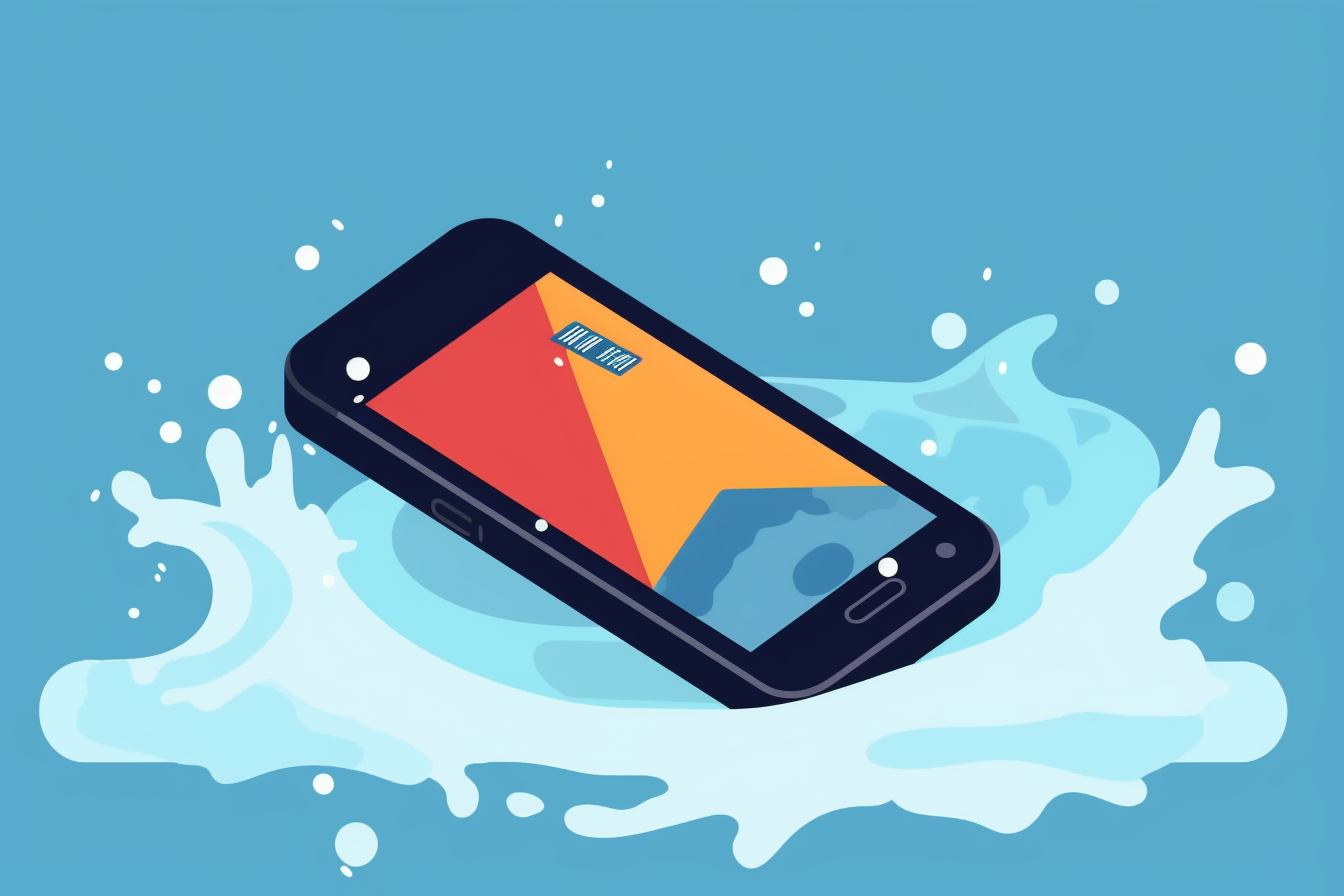
    No gadget is spared from the danger of damage, but when you drop a phone in the water, you risk losing the information in it, not just crashing the device. Although, at first glance, a wet phone is compromised, you have plenty of chances to continue using it. All you have to do if you dropped your phone in the water is just to remember a few precautions in advance and act promptly.

    What are the steps to follow right after watering your phone
    What you should not do after the incident
    Practical tips to help prevent your phone from getting wet
    What other tips can you consider

    What are the steps to follow right after watering your phone

    Depending on the severity of the incident and the possibility that you currently have of recovering the device, here’s how to act:

    • shut down the phone;
    • remove the cover of the device quickly;
    • remove the gadget’s battery, if the model allows it;
    • wipe the phone with a fabric as absorbent as possible;
    • quickly look for a cotton towel and wrap the phone in it;
    • use the vacuum cleaner to remove water from the inside of the appliance;
    • put the phone in a container and pour plenty of rice on it.

    What you should not do after the incident

    Although panic is a very justified feeling, when such a valuable object is endangered, you should master your momentum and act effectively.

    • does not open the mobile phone to check if it still works;
    • do not shake the device, to avoid the spread of water inside;
    • do not use the hair dryer to dry the phone and do not place the device on warm surfaces.

    Practical tips to help prevent your phone from getting wet

    More than how you save your phone from destruction it matters to know how you can protect yourself from problems from the very beginning. An underwater pouch can save you from the effects of water on the internal circuits of the gadget, and a popsocket completes the protection package with a solution against impact on hard surfaces. For even more safety, choose a waterproof and shockproof phone, an option offered by more and more manufacturers.

    What other tips can you consider

    In the first phase, damage to the circuits in the phone is the only danger that can remove your gadget from the circuit. However, there are other risks to which the device may be exposed, depending on the temperature and nature of the liquid that has penetrated it. The danger of a short circuit is most important, but it is enough that only the volume or unlock buttons are affected to make the phone unusable. Depending on the circumstances, your incident could be attributed to lack of caution, which could cause you problems in benefiting from the warranty for your smartphone or tablet. If you are preparing to buy a phone from a gsm operator, you can study the option of making insurance for your gadget.

  • How to Choose the Right Smartphone for Your Needs

    How to Choose the Right Smartphone for Your Needs

    With a plethora of smartphone options available in the market, selecting the right device for your needs can be overwhelming. By considering your specific requirements, budget, and preferences, you can narrow down your choices and find the perfect smartphone for you. In this article, we will discuss important factors to consider when choosing a smartphone to ensure you make an informed decision.

    Operating System:

    The operating system (OS) is the backbone of your smartphone experience. The two primary options are Apple’s iOS and Google’s Android. iOS is known for its ease of use, timely updates, and exclusive apps, while Android offers more customization options, a wider range of devices, and generally lower prices. Consider which OS best aligns with your preferences and requirements.

    Budget:

    Determine a budget for your smartphone purchase, as this will help you narrow down your options. Keep in mind that a higher price doesn’t always guarantee a better device. There are many mid-range and budget smartphones that offer excellent performance and features.

    Performance:

    Performance is a crucial factor when selecting a smartphone. Consider the device’s processor, RAM, and storage capacity. These specifications will determine how well your smartphone can handle multitasking, gaming, and other demanding tasks. Look for devices with recent processors and at least 4GB of RAM for a smooth user experience.

    Display:

    The display plays a significant role in your smartphone experience, as it’s where you’ll interact with your device the most. Consider factors such as screen size, resolution, and display technology (e.g., OLED or LCD). Larger displays are great for media consumption and gaming, while higher resolutions provide sharper images and text.

    Camera:

    If you’re an avid photographer or love sharing photos on social media, the quality of your smartphone’s camera is essential. Look for devices with high megapixel counts, advanced camera features, and multiple lenses for added versatility. Additionally, consider video recording capabilities and front-facing camera quality for selfies and video calls.

    Battery Life:

    A smartphone with poor battery life can be frustrating and inconvenient. Check for devices with high-capacity batteries and power-efficient processors to ensure all-day usage. Also, consider features such as fast charging and wireless charging for added convenience.

    Additional Features:

    Consider any additional features that may be important to you, such as water resistance, expandable storage, or a headphone jack. These extras can enhance your smartphone experience and make your device more suited to your specific needs.

    User Reviews and Recommendations:

    Finally, read user reviews and seek recommendations from friends or online communities to get a better idea of a smartphone’s real-world performance, reliability, and potential issues. This can help you make a more informed decision and avoid potential disappointments.

    With a plethora of smartphone options available in the market, selecting the right device for your needs can be overwhelming. By considering your specific requirements, budget, and preferences, you can narrow down your choices and find the perfect smartphone for you. In this article, we will discuss important factors to consider when choosing a smartphone to ensure you make an informed decision.

    Operating System:

    The operating system (OS) is the backbone of your smartphone experience. The two primary options are Apple’s iOS and Google’s Android. iOS is known for its ease of use, timely updates, and exclusive apps, while Android offers more customization options, a wider range of devices, and generally lower prices. Consider which OS best aligns with your preferences and requirements.

    Budget:

    Determine a budget for your smartphone purchase, as this will help you narrow down your options. Keep in mind that a higher price doesn’t always guarantee a better device. There are many mid-range and budget smartphones that offer excellent performance and features.

    Performance:

    Performance is a crucial factor when selecting a smartphone. Consider the device’s processor, RAM, and storage capacity. These specifications will determine how well your smartphone can handle multitasking, gaming, and other demanding tasks. Look for devices with recent processors and at least 4GB of RAM for a smooth user experience.

    Display:

    The display plays a significant role in your smartphone experience, as it’s where you’ll interact with your device the most. Consider factors such as screen size, resolution, and display technology (e.g., OLED or LCD). Larger displays are great for media consumption and gaming, while higher resolutions provide sharper images and text.

    Camera:

    If you’re an avid photographer or love sharing photos on social media, the quality of your smartphone’s camera is essential. Look for devices with high megapixel counts, advanced camera features, and multiple lenses for added versatility. Additionally, consider video recording capabilities and front-facing camera quality for selfies and video calls.

    Battery Life:

    A smartphone with poor battery life can be frustrating and inconvenient. Check for devices with high-capacity batteries and power-efficient processors to ensure all-day usage. Also, consider features such as fast charging and wireless charging for added convenience.

    Additional Features:

    Consider any additional features that may be important to you, such as water resistance, expandable storage, or a headphone jack. These extras can enhance your smartphone experience and make your device more suited to your specific needs.

    User Reviews and Recommendations:

    Finally, read user reviews and seek recommendations from friends or online communities to get a better idea of a smartphone’s real-world performance, reliability, and potential issues. This can help you make a more informed decision and avoid potential disappointments.

    Choosing the right smartphone for your needs involves considering various factors, such as operating system, budget, performance, and features. By taking the time to evaluate your specific requirements and preferences, you can find a device that offers the perfect balance of functionality, performance, and value. Remember that user reviews and recommendations can provide valuable insights into a smartphone’s real-world performance and help you make the best choice.
  • Tips for Protecting Your Smartphone from Damage

    Tips for Protecting Your Smartphone from Damage

    Our smartphones are valuable and essential tools in our daily lives, but they can also be susceptible to damage. Taking steps to protect your device from accidents and everyday wear and tear can save you time, money, and frustration. In this article, we’ll share some tips for safeguarding your smartphone and keeping it in top condition.

    Invest in a Quality Case:

    A durable and protective case is one of the best investments you can make for your smartphone. Look for cases that offer impact resistance, shock absorption, and raised edges to protect your screen from scratches and cracks.

    Use a Screen Protector:

    A screen protector can help shield your smartphone’s display from scratches, smudges, and evencracks. There are various types available, including tempered glass and plastic film protectors. Choose one that fits your device and provides a balance between protection and touch sensitivity.

    Keep Your Phone Dry:

    Water damage is a common cause of smartphone failure. To prevent this, avoid exposing your phone to moisture, such as rain or spills. If you anticipate being around water or damp environments frequently, consider investing in a waterproof case for extra protection.

    Avoid Extreme Temperatures:Exposure to extreme heat or cold can negatively impact your smartphone's battery life and overall performance. Avoid leaving your device in direct sunlight or in a hot car for extended periods. Likewise, protect your phone from extreme cold by storing it in an insulated case or pocket when outdoors in freezing temperatures.
    
    Handle with Care:

    Treat your smartphone with care and avoid tossing or dropping it, as even a short fall can result in damage. When not in use, store your device in a secure location, such as a dedicated pocket or compartment in your bag. Additionally, avoid placing heavy objects on top of your phone, as this can cause pressure damage to the screen and internal components.

    Keep Your Phone Clean:

    Dirt, dust, and debris can accumulate on your smartphone over time, potentially causing damage to the ports, buttons, and speaker grilles. Regularly clean your device using a soft, lint-free cloth and a small amount of rubbing alcohol if necessary. Avoid using abrasive cleaners or harsh chemicals that may damage the screen or other components.

    Use Caution When Charging:

    Improper charging habits can lead to battery damage and reduced performance. Always use the manufacturer-recommended charger and cable for your device, and avoid using damaged or frayed cords. Additionally, try to keep your phone charged between 20% and 80% to prolong battery life.

    Update Software Regularly:

    Keeping your smartphone’s software up-to-date can not only improve performance and security but also help prevent potential issues caused by outdated software. Regularly check for updates and install them promptly to ensure your device stays protected and running smoothly.

    Protecting your smartphone from damage is crucial for maintaining its performance and longevity. By following these tips, you can minimize the risk of accidents and keep your device functioning at its best. Regular care and maintenance can save you the time and expense of dealing with costly repairs or replacing your smartphone altogether.

  • Update 1.2.0 – Comprehensive Enhancements for a More Seamless Experience

    Update 1.2.0 – Comprehensive Enhancements for a More Seamless Experience

    The release of update 1.2.0 signifies a major step forward in refining our app across various aspects. We’ve focused on improving the user experience, particularly for smaller screens, while addressing bugs and implementing layout improvements. Here’s a detailed overview of the changes we’ve made:

    1. Data Table Updates
    • Retain scroll position after navigating between pages for a more seamless experience.
    • Simplified last update date display, e.g., “1 day” instead of “1 day 32 min.”
    • Updated the Due condition to be based on the “delivered at” date.
    1. Edit Order Enhancements
    • Improved mobile experience for more intuitive navigation.
    • Adjusted font size for the services sum to ensure better readability.
    • Fixed a bug, now users can assign a customer if none was previously assigned.
    • Translated the Emergency update text to Spanish.
    • Added the ability to create new reminders with custom date and time.
    • Fixed the “created at” date, which was previously displaying incorrectly.
    1. Charts Page Improvements
    • Refined experience for small screens.
    • Expanded statistics coverage to include more data (Resolutions Pie, Unpaid Amount, Revenue, etc.).
    1. Organization Settings Updates
    • Improved layout for better usability.
    • Fixed selection of date ranges, ensuring the “endDate” property includes the end of the day.
    • Corrected some translation issues.
    • Added a loading state indicator.
    1. Theme Adjustments
    • Changed the overline and caption font size to 0.8 rem.
    • Updated the backdrop color to a blue tint for a more visually appealing interface.
    1. Navigation Bar Fixes
    • Resolved the issue with the notification center not updating when idle.
    1. General Improvements
    • Fixed locales (internationalization) for dates, calendar, time, etc.
    • Reduced the size of the status chip for a more compact display.
    • Added an arrow to the status chip for better visual guidance.

    Update 1.2.0 brings numerous enhancements that contribute to a more seamless and intuitive user experience. We are dedicated to continually refining our app to meet your needs and appreciate your feedback. Stay connected for more updates and improvements coming your way!

  • Unveiling Update 1.1.0 – Focused on Readability and Usability Enhancements

    Unveiling Update 1.1.0 – Focused on Readability and Usability Enhancements

    The release of update 1.1.0 brings forth several key improvements aimed at enhancing usability and readability, particularly for smaller screens. This update is dedicated to refining various aspects of the app to ensure an even more enjoyable and efficient user experience. Here’s an overview of the changes we’ve implemented:

    1. Data Table Enhancements
    • Optimized the display for smaller screens, ensuring a better user experience on all devices.
    • Summed up partner services for improved readability and data clarity.
    • Resized service list items, enabling users to view nearly three services at once instead of just one.
    • Replaced service items acceptance icons with the HandyMaIcon for a more streamlined appearance.
    • Translated the “Accept” and “Decline” words for better localization.
    1. Edit Order Updates
    • Added a calculation feature at the bottom of the services list for easy reference.
    • Fixed the currency symbol for more accurate display and calculations.
    1. Navigation Bar Adjustments
    • Changed the Spanish translation for “New Entry” back to “Nueva Entrada” as requested by native speakers for better localization.

    Update 1.1.0 emphasizes the importance of usability and readability, particularly for users with smaller screens. These enhancements demonstrate our commitment to providing an accessible and enjoyable experience for all users. We value your feedback and look forward to delivering more updates and improvements in the future!

  • What is a refurbished phone?

    What is a refurbished phone?

    A refurbished phone is a technically carefully verified second-hand phone (both hardware and software) and repaired by specialists to put it back on sale. The whole process involves returning the phone to a very good working condition, which means that it should work almost the same as a new one.

    Reconditioned second-hand phones can be the ideal choice if you’re going to change your phone and you don’t want to invest into a new one. If the reconditioning is done in a correct and optimal way, we can say that the phone receives the “second life” and can be considered almost new, but at a much more affordable price.

    If the reconditioning takes place under optimal conditions, the phone will have increased performance, will move quickly and will be effective in terms of storage, battery and operating system, at a level compared to a phone purchased directly from shop.

    For example, phones sold via Flip are refurbished, which means they are perfectly functional, comparable to technically new phones. As for the aesthetic aspect of phones, it is divided into 4 categories: “As New”, “Excellent”, “Very Good” and “Good” — and depending on the category, the phone may not have traces of use (Like New), traces

    Very fine use (Excellent), traces of normal use (Very Good) or slightly more pronounced traces of use (Good). With however, at the technical level, all phones (regardless of the aesthetic category) are at the same technical and performance.

    How do I make sure that the supplier I’m going to buy the reconditioned phone from is reliable?

    The first step is to read the reviews left by customers, then make sure that they have a physical location, a clear address and a dedicated support team, to which you can write and be answered quickly in case you have any questions. Including present on social media will help you get a better idea about the company you are going to buy your phone from.

    Another indicator of trust is the clarity of payment methods it provides, the way in which respond to negative reviews, if they appeared in the written press or if they are transparent and you can get in touch with them quickly, in specially by mail or livechat.

  • Introducing Update 1.0.10 – Enhancing Mobile Experience and Adding Exciting New Features

    Introducing Update 1.0.10 – Enhancing Mobile Experience and Adding Exciting New Features

    With the release of update 1.0.10, our app takes another step forward in delivering a superior mobile experience and introducing new features to improve overall functionality. In this latest update, we’ve focused on refining key aspects of the app to create an even more intuitive and powerful tool. Here’s a rundown of the improvements we’ve made:

    1. Mobile Experience Improvements
    • Resized buttons and removed user data from the header for a cleaner mobile interface.
    • Fixed header min height for a more consistent appearance across devices.
    • Refined side menu behavior on mobile, hiding it completely and allowing it to float instead of pushing elements.
    • Enhanced chart display for improved readability on smaller screens.
    1. Charts Page Enhancements
    • Added a date filter for more precise data analysis.
    • Introduced a new stat, “Total accepted,” for better insight into performance.
    • Improved tooltip functionality for clearer information display.
    • Incorporated Parts and Profit cards for a more comprehensive view of key metrics.
    1. My Account Page Updates
    • Introduced a dedicated My Account page for easy access to personal settings.
    • Enabled users to change their username for a more personalized experience.
    • Updated language settings to save user preferences to the database.
    1. Organization Page Modifications
    • Relocated language button to the My Account page for more intuitive navigation.
    1. General Improvements
    • Fixed some state logic issues for better app performance.
    1. Data Table Updates
    • Added an Emergencies filter for more focused data analysis and management.

    Update 1.0.10 brings significant enhancements to the mobile experience and introduces new features that make our app more powerful and user-friendly. We are committed to continually refining the app to meet your needs, and we appreciate your feedback. Stay connected for more updates and improvements coming your way!

  • Celebrating Update 1.0.0 – Introducing New Features and Enhancements for a Streamlined Experience

    Celebrating Update 1.0.0 – Introducing New Features and Enhancements for a Streamlined Experience

    We are proud to introduce the release of update 1.0.0 for our app, marking a major milestone in its development. This update focuses on introducing new features, improving the user experience, and streamlining the app’s overall performance. Below is a summary of the key improvements we’ve implemented:

    1. Data Table Updates
    • Added a convenient counter to the repair column, enabling users to quickly view the number of repairs.
    1. Repair Enhancements
    • Incorporated a new delivery date feature, providing users with better visibility of expected delivery times.
    1. Print and Print Settings Adjustments
    • Fixed the font size issue for A4 Split printing to ensure better readability.
    • Rectified the font size issue on the Print Settings page, offering a more consistent appearance.
    1. Edit Repair Page Changes
    • Locked the Malfunction & Note fields for orders received from partners, ensuring data integrity and clear responsibility.
    1. UX Improvements
    • Replaced the terms “Entry” and “Order” with “Repair” to provide greater clarity for end users.
    1. General Optimizations
    • Implemented better data cleanup upon logging out, enhancing the app’s performance and security.
    • Removed redundant packages to streamline the app, making it more efficient and reliable.

    Update 1.0.0 signifies an important step in the ongoing evolution of our app. We’ve made considerable enhancements to ensure a smoother and more intuitive experience for our users. As always, we value your feedback and are eager to continue improving the app based on your suggestions. Stay tuned for more exciting updates in the future!

  • Introducing Update 0.2.32 – Mobile Experience Enhancements

    Introducing Update 0.2.32 – Mobile Experience Enhancements

    We are delighted to present the release of update 0.2.32 for our app, which brings a new layer of polish to the mobile experience and user interface. This update aims to provide a more seamless and aesthetically pleasing environment for our users. Here’s a snapshot of the key improvements we’ve made:

    1. Improved Mobile Experience
    • We’ve optimized our app for mobile devices, ensuring a smoother and more enjoyable user experience across various screen sizes.
    1. Enhanced Order Management
    • To maintain data integrity, we’ve locked the Malfunction & Note fields for orders received from partners (outsourced from). This ensures that only relevant parties can edit this information.
    1. Standardized Design Elements
    • We’ve standardized the font size across the app and implemented responsive design elements, resulting in a more cohesive and visually appealing interface.

    With update 0.2.32, we’ve made significant strides in refining the app’s usability and design. We are confident these enhancements will contribute to an even better user experience. As always, we appreciate your feedback and look forward to bringing you more valuable updates in the future.

  • What are the advantages of buying a reconditioned phone?

    What are the advantages of buying a reconditioned phone?

    The main reasons why it is recommended to buy a reconditioned phone are:

    There’s more money left in your pocket.

    Prices are more advantageous compared to a new phone: you can find phones used and refurbished at prices up to 60% lower than a new phone;

    You choose smart and sustainable.

    Buying a refurbished second-hand phone is also a choice that reduces pollution of the environment. The production of a new phone involves the use of raw resources, which leads to the issuance of a quantity significant electronic waste.

    You’re safe, you get a guarantee and a right to return.

    You buy from the comfort of your own home. The courier comes right to your door with the ordered phone, properly packed in a

    Flip box and you can even check the package before receiving it.

    Buying a reconditioned phone is beneficial because, as we become more aware of the impact they have our actions on the environment, there will be strong reasons for phone manufacturers to be more caring about the environment. We can therefore choose a reconditioned phone at the expense of a new one, especially since it is find out in very good operating conditions.

    Do refurbished phones come with updated software?

    Technicians make sure that the reconditioned phone has an updated version of the software and operating system, because you to enjoy the best experience. Also, refurbished phones do not come with data stored from previous owners and are completely reset to factory settings.

    Do I get warranty if I bought a reconditioned phone?

    Just like new phones, which come with a guarantee, and a refurbished second-hand phone market has to offer its customers guarantee the products sold.